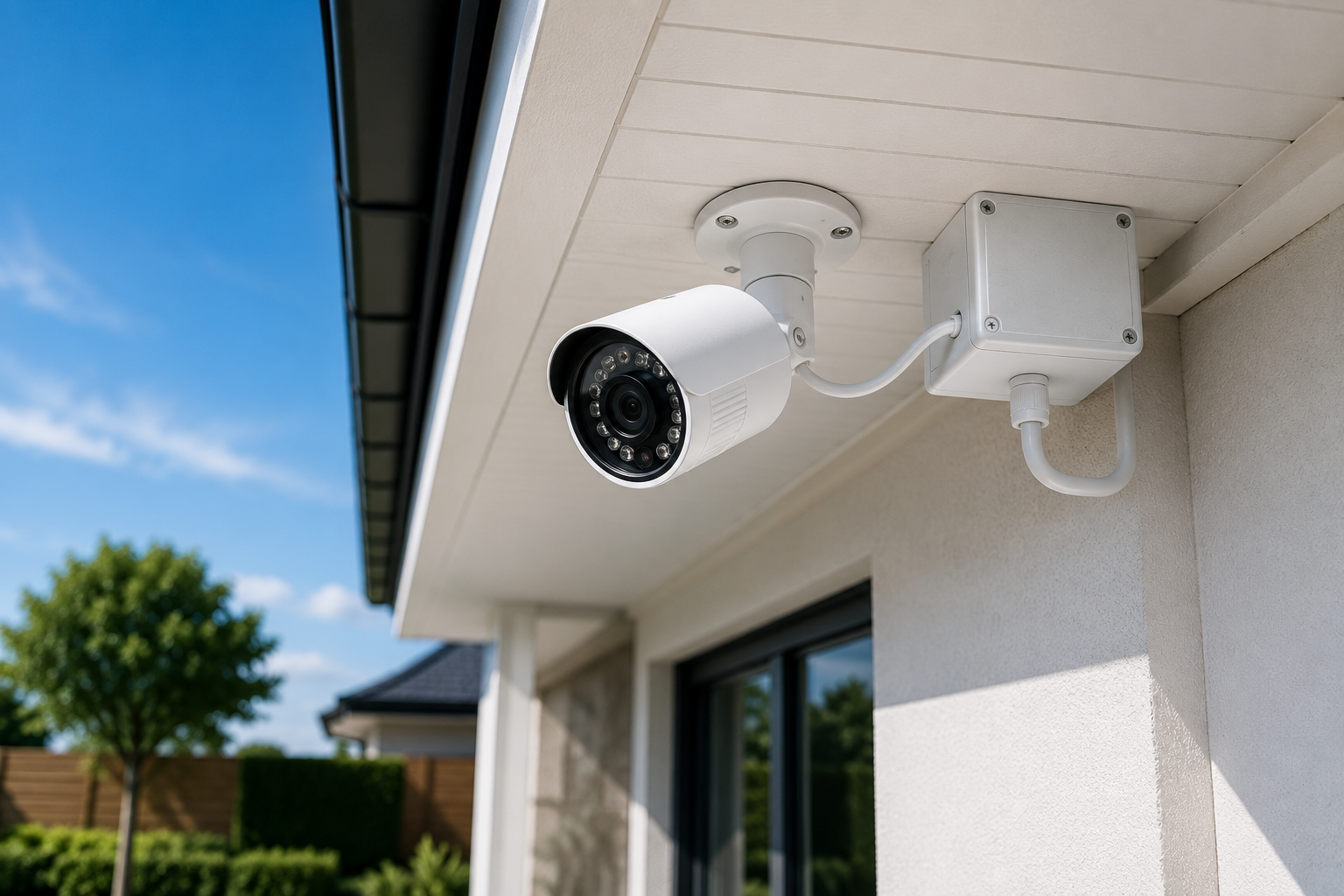
Setting up a live outdoor webcam allows you to broadcast real-time video of your property, a scenic view, or even local wildlife to an online audience. This process involves careful planning, selecting the right hardware, configuring software, and ensuring a stable internet connection. By following a structured approach, you can successfully deploy a robust and reliable live stream that engages viewers.
Imagine sharing the tranquility of your garden, the bustling activity of a community space, or a captivating nature scene with people across the globe. A well-executed live outdoor webcam project transforms a static view into a dynamic window, offering continuous engagement and unique insights without requiring constant on-site presence. This guide will walk you through every critical step, from initial concept to ongoing maintenance, ensuring your outdoor webcam delivers a high-quality, uninterrupted experience.
Planning Your Outdoor Webcam Project
Before purchasing any equipment, careful planning sets the foundation for a successful live outdoor webcam setup. This initial phase involves understanding your motivations, assessing the physical environment, and navigating legal considerations.
Why Go Live Outdoors?
People set up live outdoor webcams for various reasons, blending personal interest with practical applications. Live streaming has become a massive industry, with platforms like YouTube Live and Twitch hosting diverse content.
- Security and Monitoring: Many homeowners use outdoor cameras as a first line of defense to deter crime and monitor their property. Approximately 61% of U.S. households had at least one security camera in 2026, a significant increase from 52% in 2024.
- Wildlife Observation: Capturing animal behavior in its natural habitat offers educational and entertaining content.
- Scenic Views: Sharing a beautiful landscape, city skyline, or local landmark provides continuous visual appeal.
- Construction Progress: Documenting building projects from start to finish.
- Community Engagement: Providing a live feed of public spaces, parks, or local events.
Choosing the Right Location
The placement of your outdoor webcam is paramount. It influences everything from image quality to power and internet connectivity.
- Line of Sight: Ensure the camera has a clear, unobstructed view of your desired subject. Avoid placing it where plants, tree branches, or other objects could block the lens.
- Power Access: Determine how you will supply power to the camera. Options include nearby electrical outlets, Power over Ethernet (PoE), or solar power.
- Internet Connectivity: Assess the strength and reliability of your internet signal at the chosen location. A stable and fast upload speed is crucial for live streaming.
- Protection from Elements: While outdoor cameras are weatherproof, positioning them under eaves or rain gutters extends their lifespan and provides additional protection from direct sunlight, rain, and snow.
- Security from Tampering: Mount cameras at least 8-10 feet off the ground to deter vandals. Consider using tamper-proof screws and protective housings.
Understanding Legalities and Privacy
Navigating the legal landscape of outdoor surveillance is critical, especially in the US. The core principle revolves around a reasonable expectation of privacy.
It is generally legal to record video in public areas, such as your driveway, front porch, and sidewalks, as long as it’s visible from a public street. However, you cannot point a camera into areas where individuals have a heightened expectation of privacy, like a neighbor’s bedroom or a fenced backyard.
Audio recording has stricter laws than video. Many US states are “one-party consent” states, meaning you can record audio if at least one person in the conversation (which can be you) consents. However, some are “all-party (two-party) consent” states, requiring everyone being recorded to consent. It’s always best to check local ordinances, as laws vary by state and city. Installing visible signage indicating surveillance can also serve as implied consent and a deterrent.
“While security cameras are generally permissible for protecting one’s property, they must not intrude upon areas where neighbors have a reasonable expectation of privacy, and they should not be used with the intent to harass or intimidate. Violations of these principles can lead to legal consequences, including civil actions or criminal charges, depending on the jurisdiction and specific facts of the case.” explains Ben Farrow, a LegalShield provider lawyer with Anderson, Williams & Farrow.
Essential Hardware: What You’ll Need
Selecting the correct components is crucial for a stable and high-quality outdoor live stream. Investing in reliable hardware upfront saves time and prevents headaches later.
The Heart of the System: Outdoor Webcam Selection
Your choice of camera impacts video quality, features, and overall performance. Consider these factors when selecting an outdoor webcam:
- IP Cameras with Streaming Capabilities: Look for cameras that support direct streaming via RTMP (Real-Time Messaging Protocol) to platforms like YouTube Live or Twitch, eliminating the need for a dedicated computer to re-stream. Many outdoor security cameras can double as live streaming devices.
- Resolution: Aim for at least 1080p for clear images. Higher resolutions like 4K offer sharper details, especially for larger areas. The market for 4K and higher resolution smart home security cameras is growing at a CAGR of 14.76% to 2031.
- Night Vision: Infrared (IR) night vision is essential for capturing footage in low-light conditions. Some advanced cameras offer color night vision.
- Durability and Weather Resistance: Outdoor cameras must withstand various weather conditions, including rain, snow, and extreme temperatures. Look for an Ingress Protection (IP) rating, such as IP65 (dust-tight, protected against water jets) or IP67 (dust-tight, protected against temporary immersion).
- Field of View (FOV): A wider FOV captures more of the scene. Cameras with 180-degree FOV or pan-tilt-zoom (PTZ) capabilities offer greater coverage and flexibility.
- Motion Detection: Smart motion detection can differentiate between people, cars, and animals, reducing false alerts.
Here’s a comparison of common outdoor camera types:
| Camera Type | Pros | Cons | Ideal For |
|---|---|---|---|
| PoE Camera (Power over Ethernet) | Reliable wired connection; stable 24/7 recording; supports high bandwidth (4K); less interference; enhanced security. | Requires running Ethernet cables; higher upfront installation cost; limited mobility. | Critical areas, 24/7 streaming, large properties, professional setups. |
| Wi-Fi Camera | Convenient wireless installation; flexible placement; often more affordable. | Prone to interference and signal degradation; relies on battery or nearby outlet; potential for lag. | Smaller areas, temporary setups, easy DIY installation, renters. |
| Solar-Powered Camera | Wire-free, continuous power with battery backup; eco-friendly; flexible placement in remote spots. | Higher initial cost; requires sufficient sunlight; limited in very low-light conditions without backup. | Remote locations without easy power access, sustainable setups. |
Powering Your Persistence: Electrical Solutions
Consistent power is non-negotiable for a live stream.
- AC Power: The most straightforward option if an outdoor electrical outlet is readily available. Ensure the outlet is weatherproof or housed in a weatherproof enclosure.
- Power over Ethernet (PoE): A single Ethernet cable provides both power and data to the camera, simplifying wiring. This requires a PoE injector or a PoE switch. Standard PoE has a cable length limit of about 100 meters (328 feet), though some “AI” PoE switches can extend this to 820 feet.
- Solar Power: For remote locations without easy access to electricity, solar panels connected to battery-powered cameras offer an excellent solution, providing continuous charging.
Staying Connected: Internet Access
A fast and stable internet upload speed is critical for live streaming. A minimum of 5Mbps upload speed is recommended for stable streaming. Fiber internet is ideal for reliable 4K or 24/7 streaming.
- Wi-Fi: Convenient for wireless cameras, but ensure a strong signal at the camera’s location. Wi-Fi extenders can help, but wired connections offer more reliability.
- Ethernet: For PoE cameras, an Ethernet cable provides a robust and stable connection, less prone to interference. If running cables outdoors, use outdoor-rated CAT5e or CAT6 cables, preferably in a conduit for protection.
- Cellular (4G/5G): Ideal for truly remote locations where Wi-Fi or wired internet is unavailable. This requires a camera with cellular capabilities and a data plan. Cellular cameras are expected to grow rapidly, especially in rural or secondary properties.
Mounting and Protection
Proper mounting ensures stability and longevity.
- Mounts and Brackets: Use sturdy, rust-resistant mounting hardware specifically designed for outdoor use. Mount the camera firmly to a wall or pole.
- Enclosures and Junction Boxes: Protect cable connections and unused ports from moisture and tampering using weatherproof enclosures or junction boxes. Moisture ingress at connection points is a common failure point for outdoor electronics.
- Conduit: For wired installations, running cables through PVC conduit offers superior protection against physical damage and environmental factors.
Storage Solutions: Keeping Your Footage
While live streaming, you might also want to record footage for later review or archiving.
- Network Video Recorder (NVR): A dedicated device that records video from IP cameras over a network. NVRs offer significant storage capacity and continuous recording.
- Cloud Storage: Many cameras offer cloud-based storage plans, providing remote access to recorded footage. This often involves a monthly subscription fee.
- SD Card: Some cameras include a local SD card slot for on-board storage, suitable for shorter recording periods or as a backup.
Software and Configuration: Bringing It All Together
Once your hardware is in place, software configuration connects your camera to the internet and your chosen streaming platform.
Initial Camera Setup and Network Integration
Most modern cameras come with a companion app or PC software for initial setup.
- Connect to Network: For Wi-Fi cameras, connect to your home Wi-Fi network through the app. For PoE cameras, connect the Ethernet cable from the camera to your PoE injector/switch, then to your router/modem.
- Assign IP Address: Your camera will typically obtain an IP address automatically (DHCP). You may need to configure a static IP address for advanced setups or port forwarding.
- Port Forwarding (if required): If your camera needs to be directly accessible from outside your local network without a dedicated streaming service or specific camera features, you might need to configure port forwarding on your router. However, this carries security risks and is often unnecessary with modern streaming solutions.
Streaming Software and Platforms
To broadcast your live feed, you’ll need to send the video stream to a platform.
- Cameras with Built-in RTMP Streaming: Many newer IP cameras can stream directly to services like YouTube Live, Twitch, and Facebook Live using RTMP technology. This is often the simplest solution as it doesn’t require a dedicated computer.
- Dedicated Streaming Software: For cameras without direct RTMP capabilities, or if you want more control, you’ll need software like OBS Studio or CamStreamer. These applications run on a computer, taking the camera’s video feed and re-streaming it to your chosen platform.
- Streaming Platforms:
- YouTube Live: A popular, widely accessible platform for continuous live streaming. You need a verified YouTube account to stream.
- Twitch: Originally for gaming, now hosts a wide variety of live content, including outdoor streams.
- Facebook Live: Integrates easily with Facebook profiles and pages.
- Dedicated Webcam Hosting Services: Some services specialize in hosting permanent live webcams, often with additional features like archiving and embedding. EarthCam is an example of a popular webcam platform.
- Encoding: Your streaming software or camera’s built-in capabilities will encode the video (compress it) into a format suitable for live streaming. This process is crucial for smooth playback over varying internet speeds.
Security Best Practices for Your Live Feed
Protecting your camera and network is as important as the live stream itself.
- Strong Passwords: Change default usernames and passwords immediately for your camera and router. Use complex, unique passwords.
- Firmware Updates: Regularly update your camera’s firmware to patch security vulnerabilities and improve performance.
- Network Security: Use a strong Wi-Fi password and consider isolating your camera on a separate network segment if your router supports it. Implement a firewall to restrict unauthorized access.
- Privacy Settings: Review the privacy settings on your streaming platform and camera software. Ensure only the intended content is being broadcast.
Deployment and Maintenance: Set It and Forget It (Almost)
After initial setup, careful deployment and ongoing maintenance ensure your outdoor webcam operates reliably over time.
Physical Installation Tips
Proper physical installation prevents many common issues.
- Secure Mounting: Use the appropriate tools and hardware for your mounting surface (e.g., brick, wood, siding). Ensure the mount is stable and the camera is securely attached.
- Cable Management: Route cables neatly and securely, using cable clips or conduit to prevent damage from weather, animals, or accidental snagging. Hide cables to prevent tampering.
- Weatherproofing Connections: Even with outdoor-rated cables, seal all connections, especially Ethernet cable entry points, with waterproof plugs or weatherproof junction boxes.
- Optimal Angle: Adjust the camera angle to cover the desired area without pointing into private spaces. Many recommend a height of 8-10 feet and a downward tilt of 15-30 degrees for optimal coverage.
- Avoid Glare: Position the camera to avoid direct sunlight, which can cause lens flare or washed-out images.
Monitoring and Troubleshooting Common Issues
Even with the best setup, problems can arise. Regular monitoring helps catch issues early.
- Blurry or Low-Quality Video: First, clean the camera lens gently with a microfiber cloth; outdoor cameras accumulate dust and pollen. Check your camera’s resolution settings, as the system might automatically reduce it due to network congestion. Ensure adequate lighting, especially at night.
- Camera Going Offline: This is often a power or network issue. Check all power connections and ensure plugs are snug. Verify your internet connection and router are functioning correctly. Rebooting the camera and network equipment can often resolve connectivity problems.
- Intermittent Streaming: This can indicate an unstable internet connection or insufficient upload speed. Test your internet speed, especially upload, and consider a wired connection (PoE) for greater stability if currently using Wi-Fi.
- Software or Driver Issues: Ensure your camera’s software and drivers are up to date. If issues persist, try uninstalling and reinstalling the software.
- Antivirus Interference: Occasionally, antivirus software can block webcam access. Check your antivirus settings to ensure the camera is whitelisted.
Maintaining Your Outdoor Webcam
Proactive maintenance extends the life and performance of your system.
- Regular Cleaning: Periodically clean the camera lens and housing to remove dirt, dust, and debris.
- Software and Firmware Updates: Stay current with all software and firmware updates for your camera and any streaming applications.
- Connection Checks: Annually inspect cables and connections for wear, corrosion, or damage, especially in harsh weather environments.
- Power System Review: For solar setups, ensure panels are clean and free of obstructions. For AC or PoE, check power adapters and connections.
Frequently Asked Questions
How much does it cost to set up a live outdoor webcam?
The cost varies significantly based on camera quality, power solutions, and storage. Basic setups might range from $100-$300, while professional-grade systems with 4K resolution, PoE, and cloud storage could cost $500 or more, not including potential ongoing subscription fees for cloud services or professional monitoring. The global home security camera market is projected to reach USD 10.74 billion by 2035, growing from USD 4.37 billion in 2026.
Do I need a special internet connection for a live stream?
You need a stable internet connection with a sufficient upload speed. A minimum of 5Mbps upload speed is recommended for smooth streaming. Fiber internet is ideal for high-resolution (4K) or 24/7 streaming to ensure consistent quality.
Can I use a regular indoor camera outdoors?
No, you should not use a regular indoor camera outdoors. Indoor cameras are not designed to withstand outdoor weather conditions like rain, snow, extreme temperatures, or humidity. They lack the necessary weatherproofing (IP ratings) and durability to function reliably and safely outside.
What is PoE and why is it useful?
PoE stands for Power over Ethernet. It allows a single Ethernet cable to transmit both electrical power and data to a compatible device, such as an IP camera. This simplifies installation by eliminating the need for separate power outlets near the camera, making cabling much cleaner and often more reliable.
How do I protect my webcam from vandals?
To protect your webcam, mount it at least 8-10 feet off the ground and use tamper-proof screws. Consider installing protective housings and routing cables through conduit to prevent physical damage. Visible security signs can also act as a deterrent.
Conclusion
Setting up a live outdoor webcam might seem like a complex endeavor, but with careful planning and the right tools, it is an achievable project for homeowners and enthusiasts alike. By prioritizing a durable outdoor-rated camera, securing a stable power and internet connection, and diligently configuring your streaming software, you can create a reliable and engaging live feed.
Remember to always consider local privacy laws, especially regarding camera placement and audio recording, to ensure your setup is compliant and respectful. With these expert insights, you are now equipped to transform your chosen outdoor scene into a captivating, always-on broadcast for the world to see.